FireMoon Harness reads your code, edits it, runs it and proves the work is done. Bring any provider or a local model, keep your data on your machine, and pay once if you want more.
Free for macOS and Windows No account No telemetry
A real recording: a free model on OpenRouter fixes a failing test in a sandbox project. The waiting is sped up 3×; it cost $0.00.
Coming soonPro
Next: let the agent drive your computer.
Takeover mode lets the agent see and operate your desktop apps. It tests the app it just built, clicks through a UI, and finishes the task for you.
Sees your apps through screenshots and the accessibility tree; clicks, types and scrolls
Only the apps you name, each at its own access level; others are hidden from its screenshots
Touch the mouse or keyboard and it pauses; Esc always stops it
In Chat mode it asks first, with a request card
Agent
Illustration. Takeover footage will be here when it ships.
Why FireMoon
One agent. Every model. Nothing leaves without you.
Everything below ships today, in a native app that starts fast and stays light.
Highlights
Any model, on equal terms.
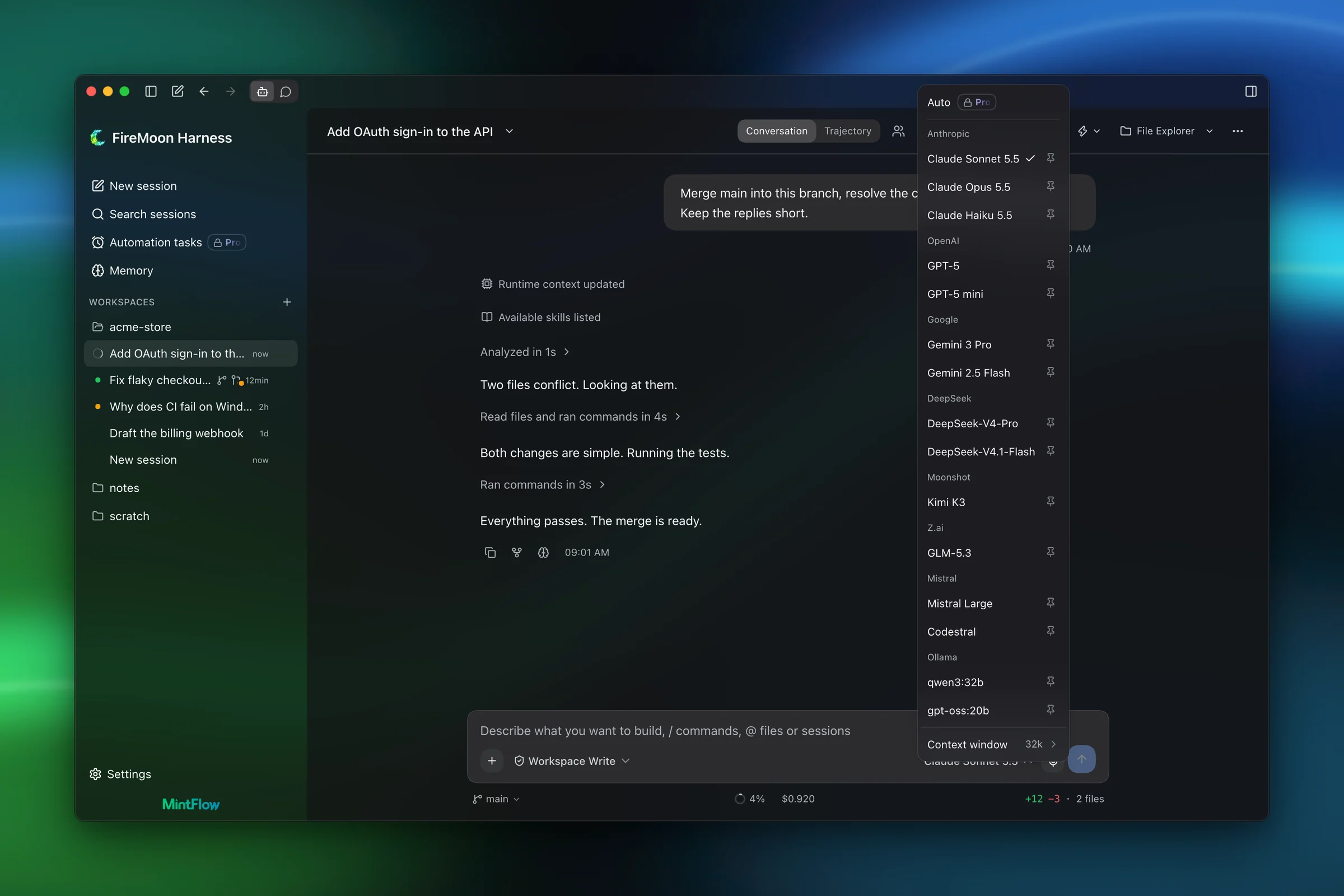
Anthropic, OpenAI, Gemini, DeepSeek, OpenRouter, Mistral, Moonshot and Z.ai, plus local Ollama and LM Studio. No provider is the default; all of them are first class.
Every major cloud provider as a peer, with your own keys
Local Ollama and LM Studio, or Ollama on another machine through a tunnel
Auto routing (Pro) picks the model for each turn by complexity and price
A failed call can fall back to a model you choose, so the turn keeps going
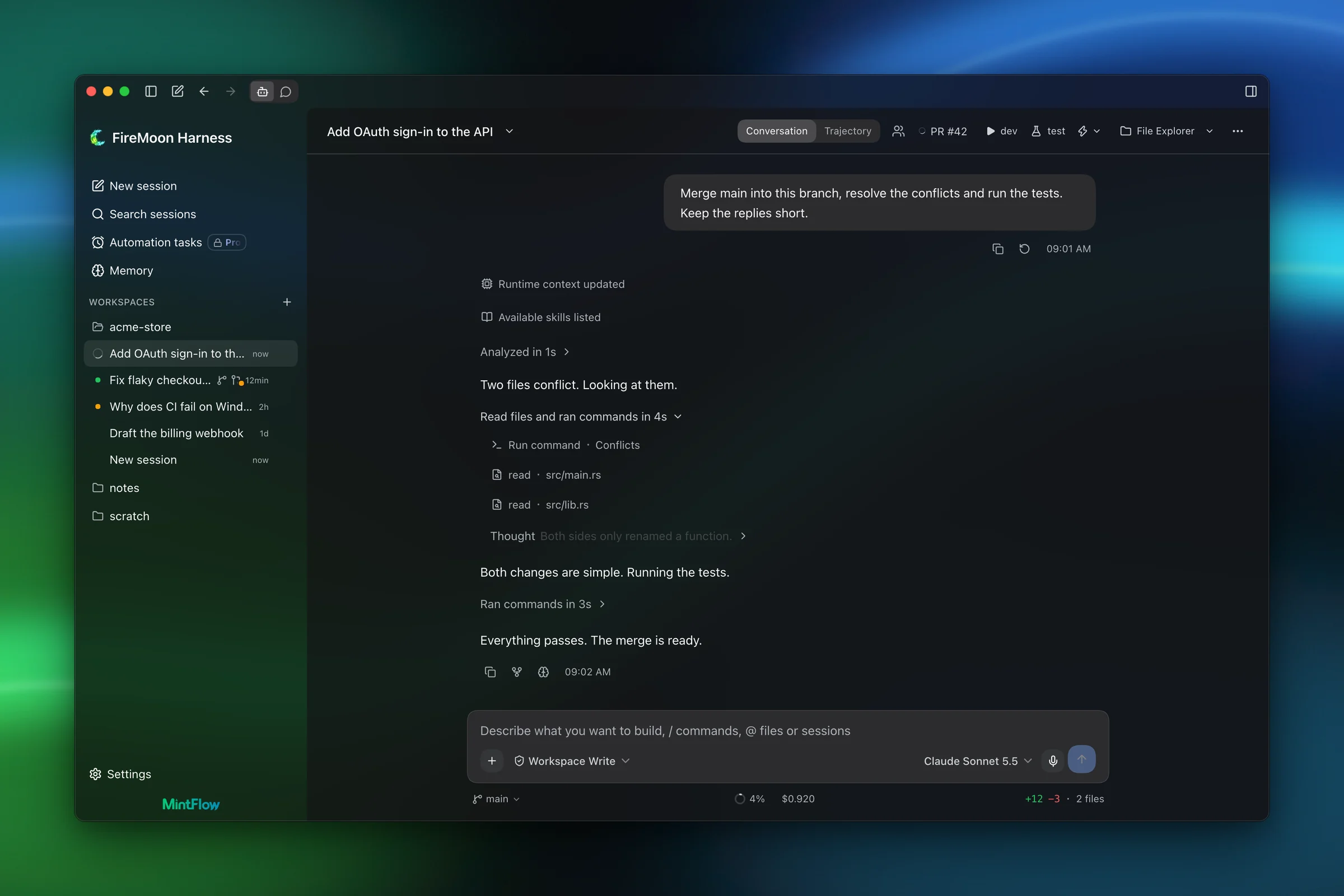
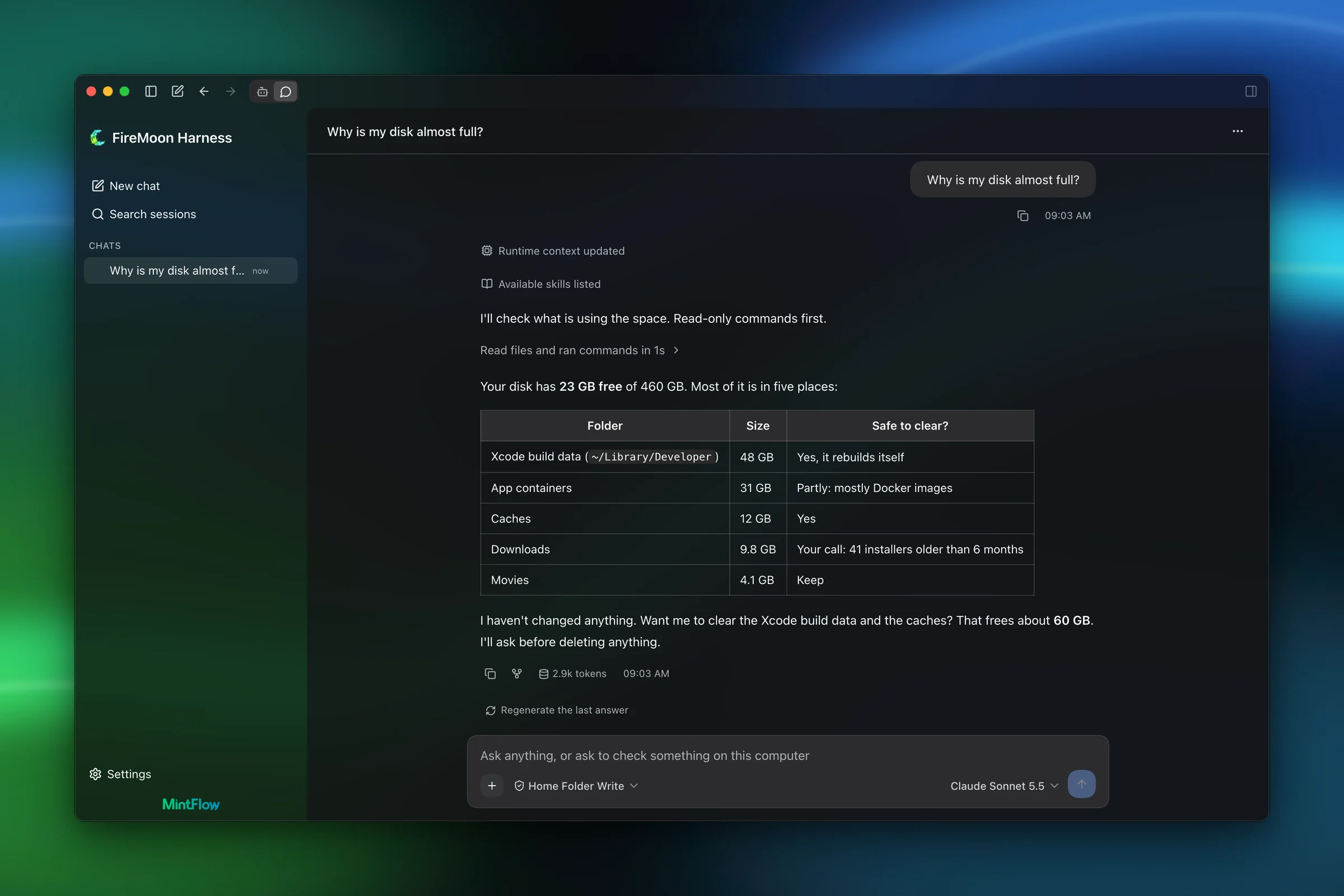
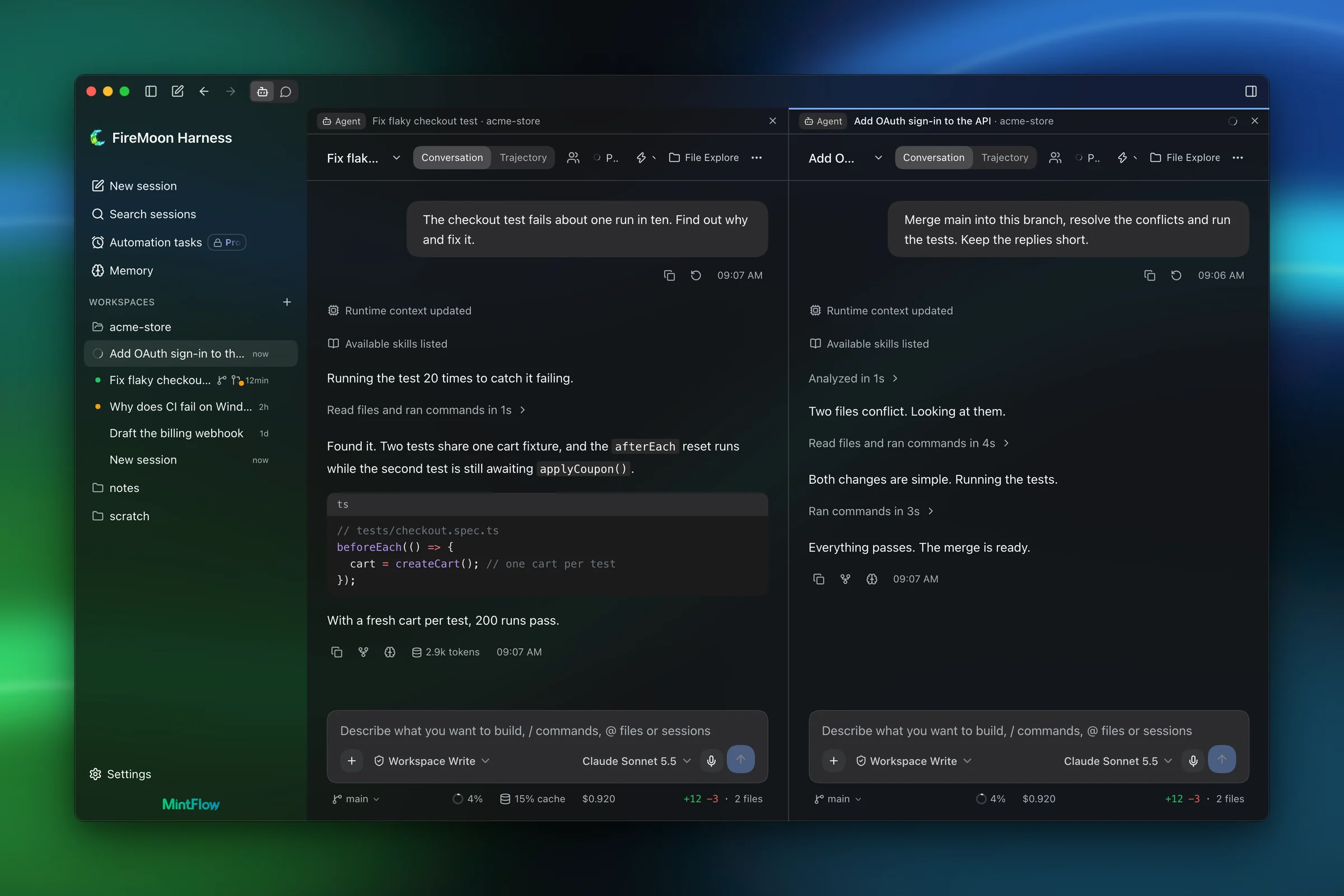
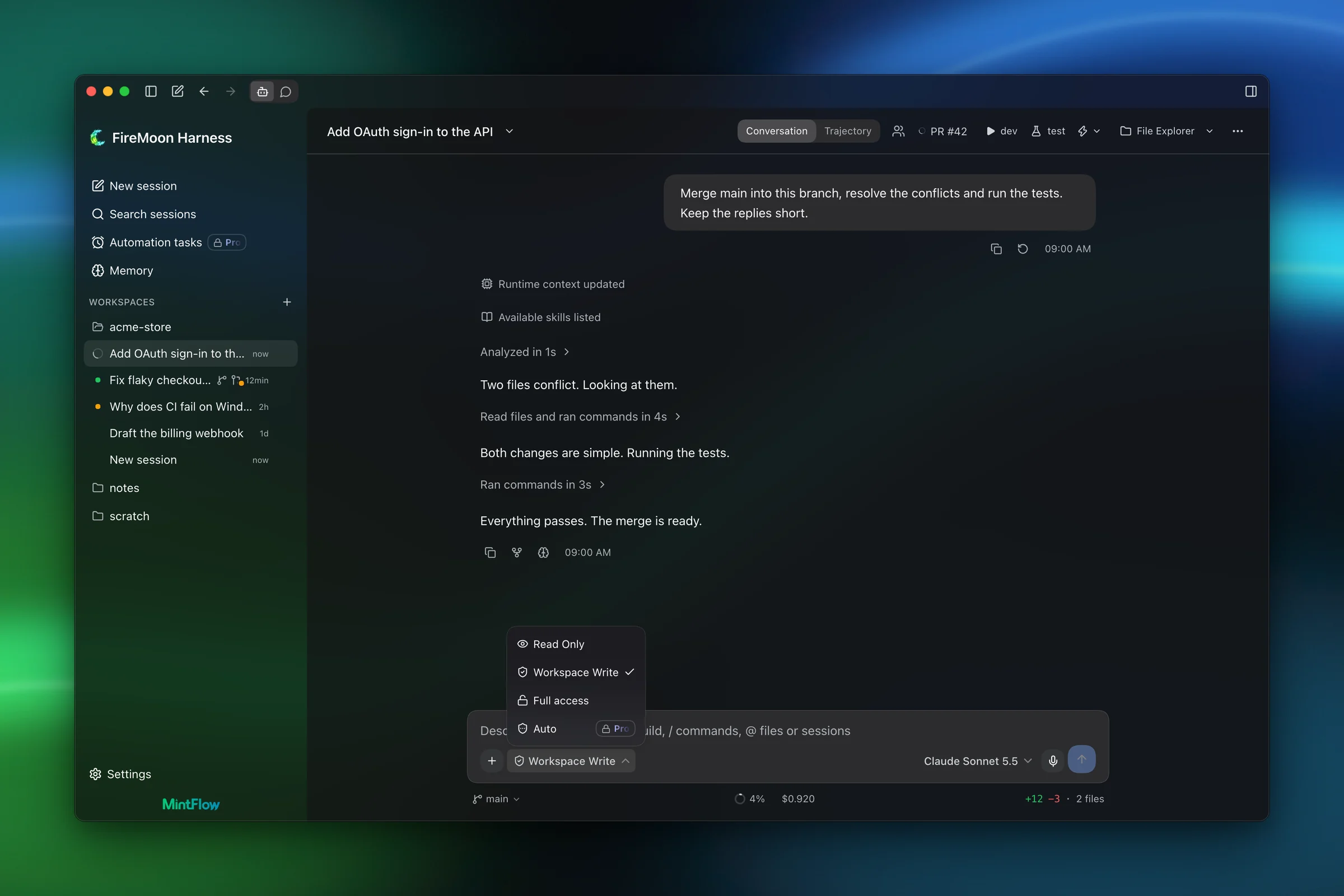
Agent mode is a full coding agent. Chat mode is a system assistant that can inspect and operate your computer. One click in the titlebar switches between them.
Agent mode plans, edits, runs commands and proves the work is done
Chat mode answers anything, and can look into your computer: a full disk, a busy port, an app that won't start
Chat starts read-only and asks before it changes anything
Each mode keeps its own sessions and scroll position
FireMoon next to the agents you may already use: models, privacy, price and the engine underneath.
Comparison
How FireMoon Harness compares with other agent tools
FireMoon Harness
Claude Code / Desktop
Codex
Cursor
Antigravity
DeepSeek Harness
Models and providers
Every major cloud provider as a peer, with Auto routing and fallback
Claude models only
OpenAI by default; custom providers through config
Several vendors' models; own keys for chat only
Gemini plus a few partner models; no own keys
DeepSeek first; others through custom endpoints
Local models
Ollama and LM Studio, local or on another machine
Not supported
Ollama or LM Studio (--oss)
No official support
Through the SDK only
Any compatible endpoint; no presets
Context and cost savings
Caching, compaction, context slicing, cheaper-model routing, a cost meter with budgets, local image reading
Caching, auto-compaction, cost view, spend limits
Auto-compaction, token usage view
Auto-summarization, usage dashboard, spend cap
Auto-compaction, context panel
Auto-compaction, token and cache meter
Price
Free tier. Pro is €20 once. Your own keys or subscription
Subscription from $20/month, or API billing
Free tier; paid plans from $8/month, or API
Free tier; paid plans from $8/month
Free tier; Google AI plans
Free; you pay providers
Telemetry
None. Only update checks and licence validation
On by default; opt out with an env var
Anonymous analytics on by default; opt out in config
Privacy Mode available
Telemetry toggle in settings
Desktop analytics on by default
In-app notes
Git-native project notes for you and the agent
Instruction files only
Instruction files only
Rules files only
Rules files only
Instruction files only
Command palette
Every action, with aliases and shortcuts (Mod+K)
Slash commands
Command menu in the app
Editor command palette
Command palette in the app
Session search and slash commands
Interface
A native frosted-glass window with a custom titlebar
Terminal, desktop app, IDE extensions, web
Terminal, desktop app, IDE extension
A VS Code-based editor
Agent app, IDE and CLI
Desktop app and web UI
Engine
Rust core in Tauri. No Electron, no Node
Native CLI; Electron desktop app
Rust CLI; Electron app
Electron (VS Code fork)
VS Code fork (IDE)
TypeScript on Node.js, Electron
Platforms and companion
Windows and macOS (Linux soon), an iOS companion, sync through your own database
macOS, Windows, Linux; mobile remote control
macOS, Windows, Linux preview; phone via ChatGPT
macOS, Windows, Linux; iOS app for agents
macOS, Windows, Linux; browser remote control
Windows and macOS; no companion
Competitor details checked against each product's own documentation and pricing on 11 November 2026. Products change quickly; if something here is out of date, tell us.
Linux builds are on the way. Windows and macOS are ready.
Coming soon
FAQ
Questions, answered.
Frequently asked questions
Keys, cost and local models
Do I need an API key?
For cloud models, yes: you bring your own key from the provider, and you pay the provider directly. Keys stay on your computer, in FireMoon's credential store, unless you turn on encrypted key sync to your own database. Local models through Ollama or LM Studio need no key.
Can I use my Claude subscription?
Yes, through Claude Mode (Pro). It runs Claude Code on your Claude account, with FireMoon's interface on top. Claude Code needs to be installed and signed in.
Does it run offline with Ollama or LM Studio?
Yes. Point FireMoon at a local Ollama or LM Studio, or at Ollama on another machine of yours, and everything stays on your hardware.
Can I set a budget?
Yes. The cost meter tracks spending per turn, conversation, day and model, computed locally, and you can set budgets. Subscription usage is kept apart from pay-as-you-go spending.
Data and privacy
Is anything sent to MintFlow?
Only licence validation, and only for Pro and Max. Besides that, the app reads a public release file on GitHub to check for updates, which you can turn off. There is no telemetry, no usage data, and no session content sent anywhere but the model provider you chose.
Where are sessions stored?
On your disk, in FireMoon's data folder. Nothing is uploaded unless you turn on sync.
How does sync work without a server?
You bring your own Postgres database, and FireMoon syncs your devices through it. No FireMoon server is involved.
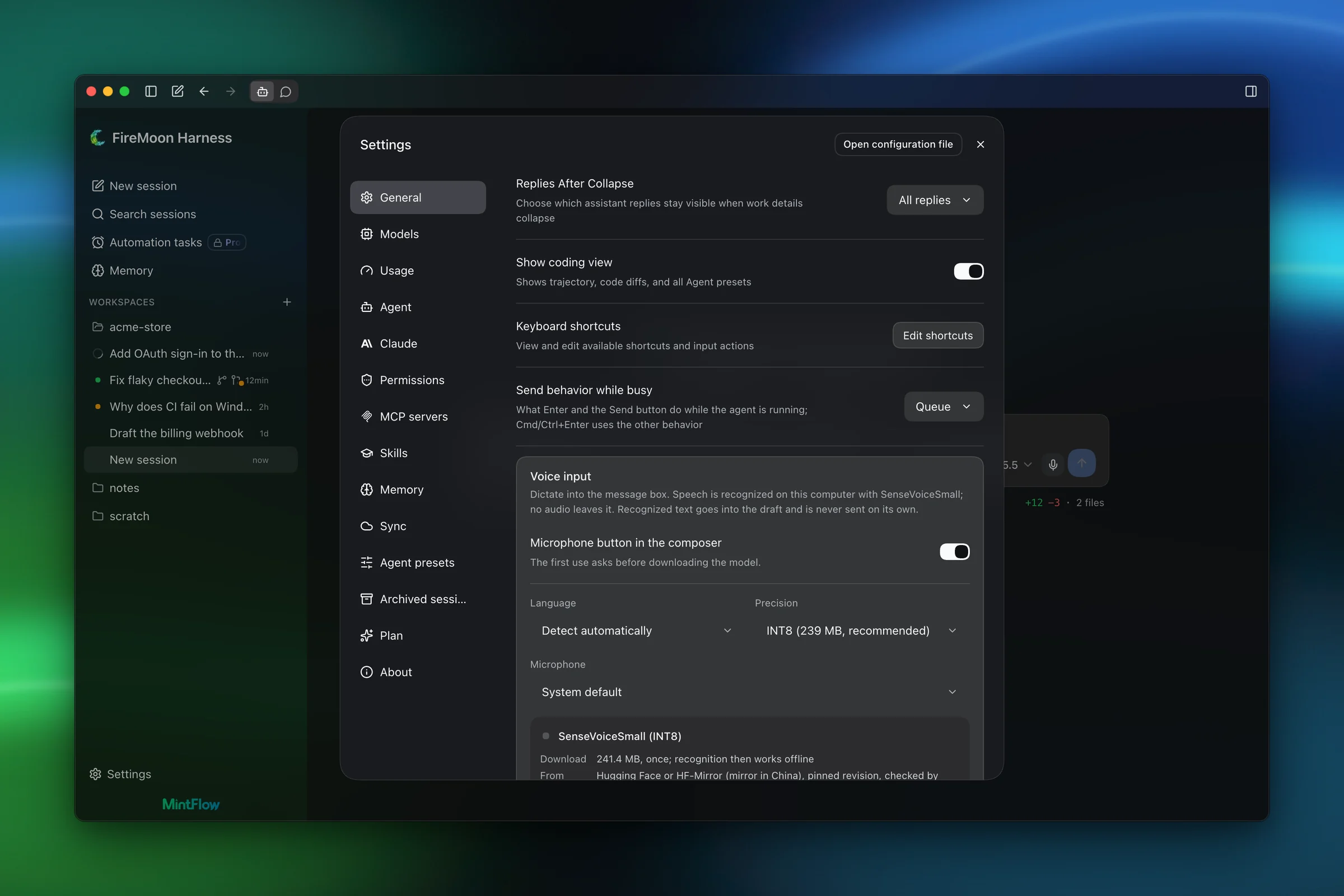
Does voice input leave my machine?
No. Speech is recognised on your computer, and no audio leaves it.
Safety
Can it break my computer?
Not without asking. New sessions start in Workspace Write: the agent can change files in your project and asks before anything wider. Chat mode starts in Read Only.
What do Read Only, Auto and Full access mean?
Read Only can look around and asks before every change. Workspace Write can edit inside the project. Auto (Pro) has a background reviewer check every tool call and block dangerous ones. Full access runs without approval prompts.
Can I undo the agent's changes?
Yes. Rewind restores the code, the conversation, or both to how they were before any message.
What does Chat mode do before it touches anything?
It starts read-only: it looks around, explains what it found, and asks before it changes anything.